> ## Documentation Index
> Fetch the complete documentation index at: https://larkuprag.larkup.de/docs/llms.txt
> Use this file to discover all available pages before exploring further.
# Web Crawling & Data Loading
> Scrape websites, upload files, and build your knowledge corpus
LarkupRAG gives you a complete data pipeline out of the box. Crawl entire domains, upload local documents, or paste raw text then track every ingestion job in real time. Everything runs through a single **Data** tab with three views: **Add Data**, **Corpus**, and **ETL Jobs**.
## Adding Data
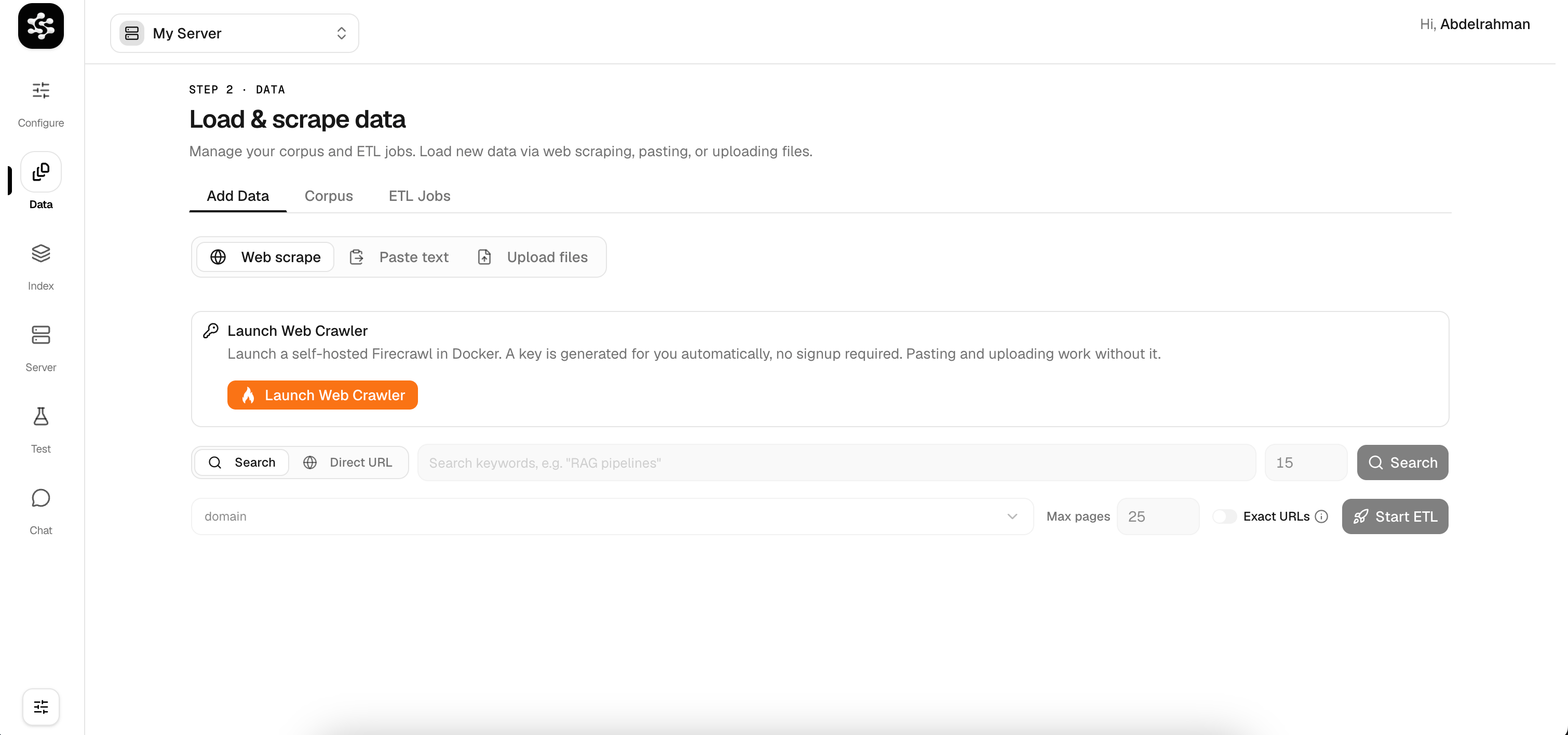
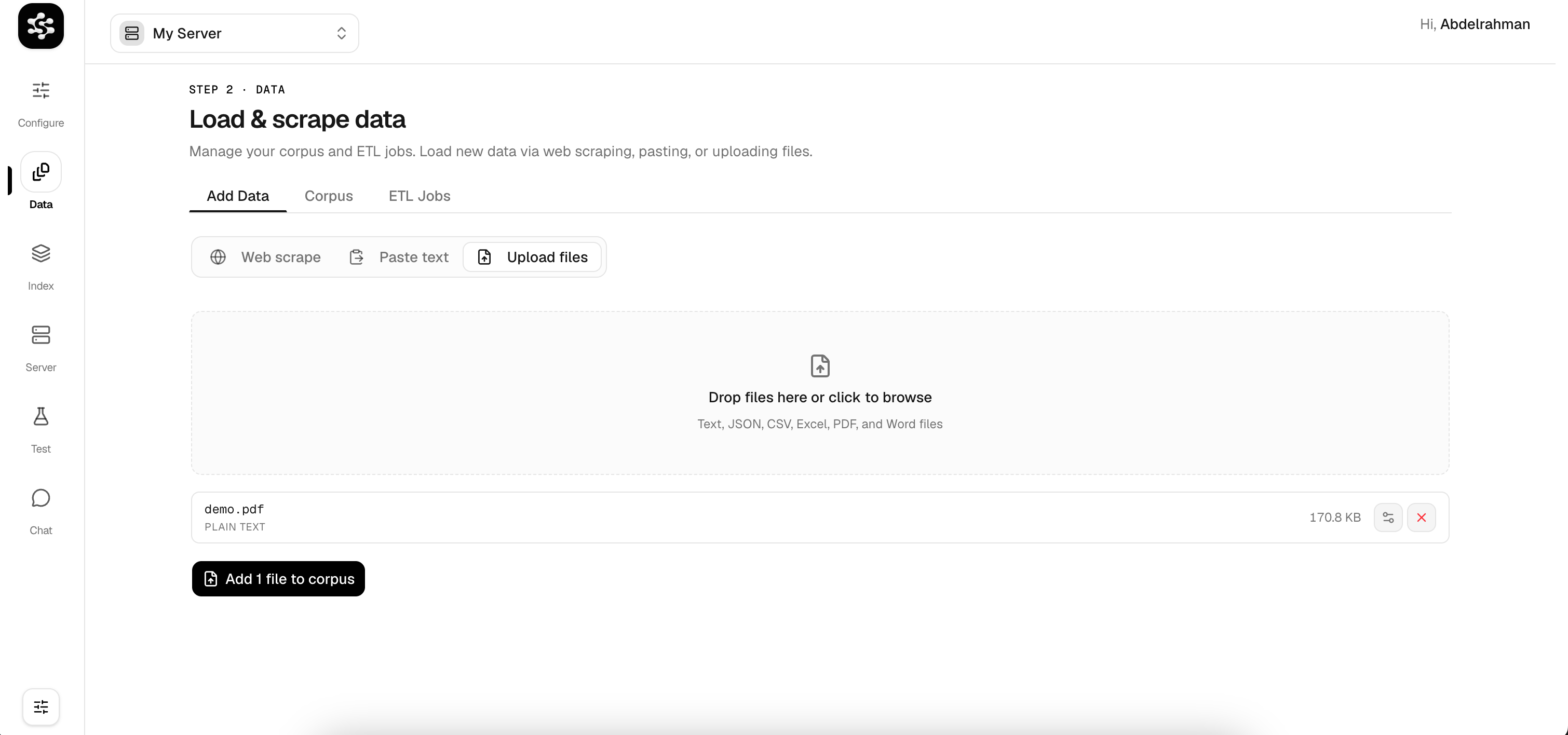
The **Add Data** tab is your starting point for loading content into the pipeline. You can choose from three ingestion modes:
* **Web Scrape**: Crawl websites by keyword search or direct URL. Powered by Firecrawl, with support for self-hosted and cloud modes.
* **Paste Text**: Drop in raw text or a single URL for quick ingestion.
* **Upload Files**: Drag-and-drop files directly. Supported formats include PDF, Word (`.docx`), Markdown, CSV, JSON, Excel, and plain text.
 ## Your Corpus
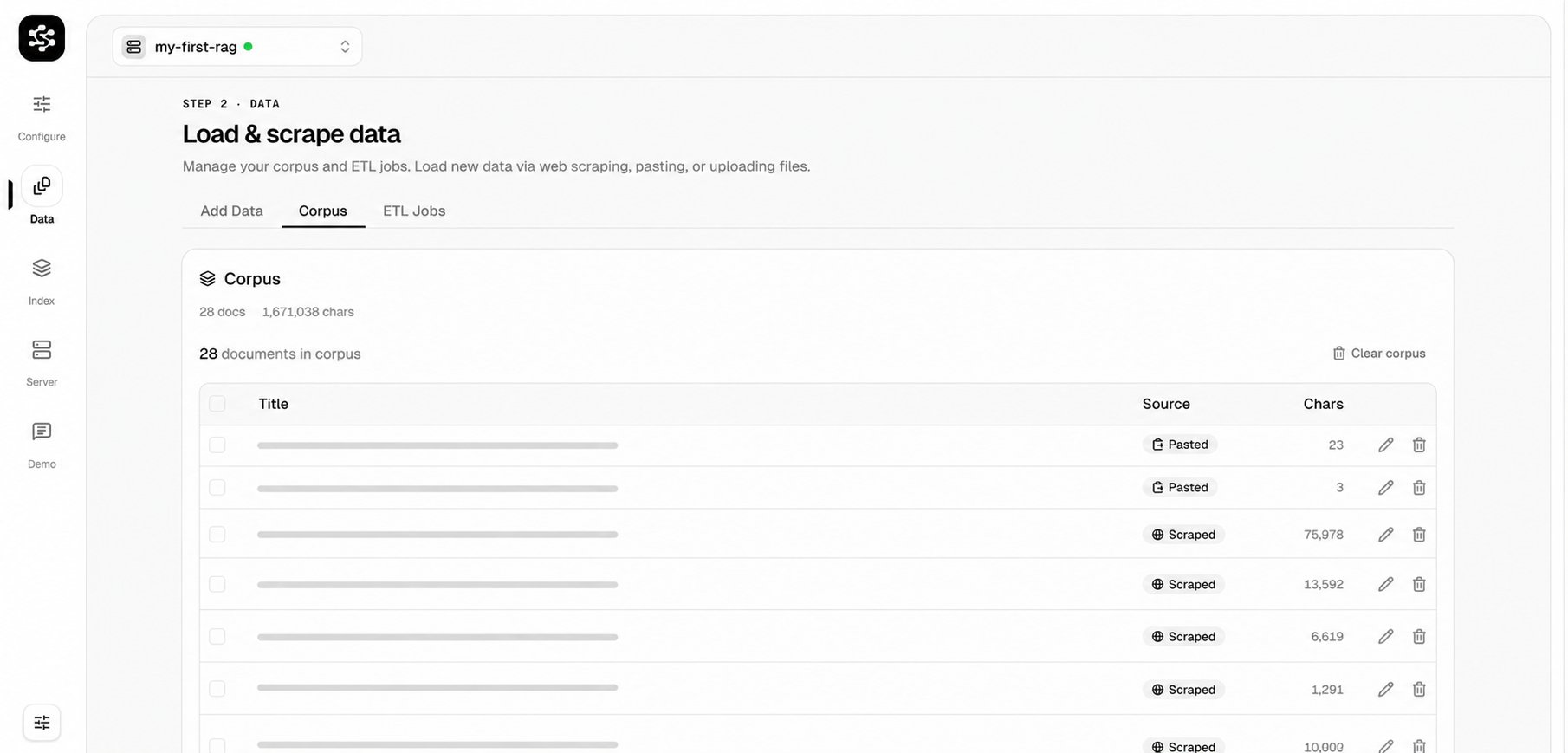
Once data is ingested, every document lands in the **Corpus**, your central knowledge base. The corpus view shows all loaded documents with their source type (scraped, pasted, uploaded), character count, and actions to edit or delete.
## Your Corpus
Once data is ingested, every document lands in the **Corpus**, your central knowledge base. The corpus view shows all loaded documents with their source type (scraped, pasted, uploaded), character count, and actions to edit or delete.
 ## Tracking ETL Jobs
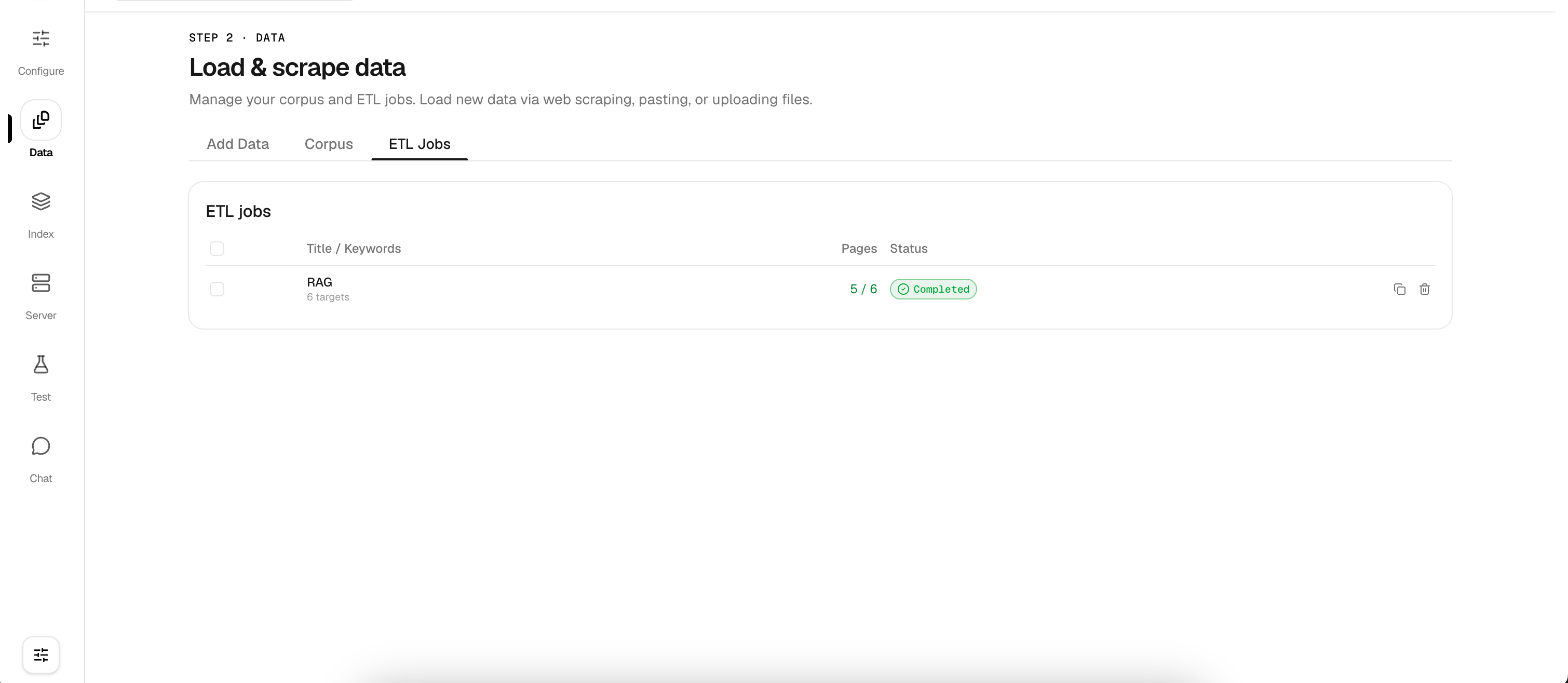
Large scraping and upload operations run as background **ETL Jobs**. The ETL Jobs tab gives you real-time visibility into every job, including target count, pages processed, and completion status.
## Tracking ETL Jobs
Large scraping and upload operations run as background **ETL Jobs**. The ETL Jobs tab gives you real-time visibility into every job, including target count, pages processed, and completion status.
 ## Scraping Configuration
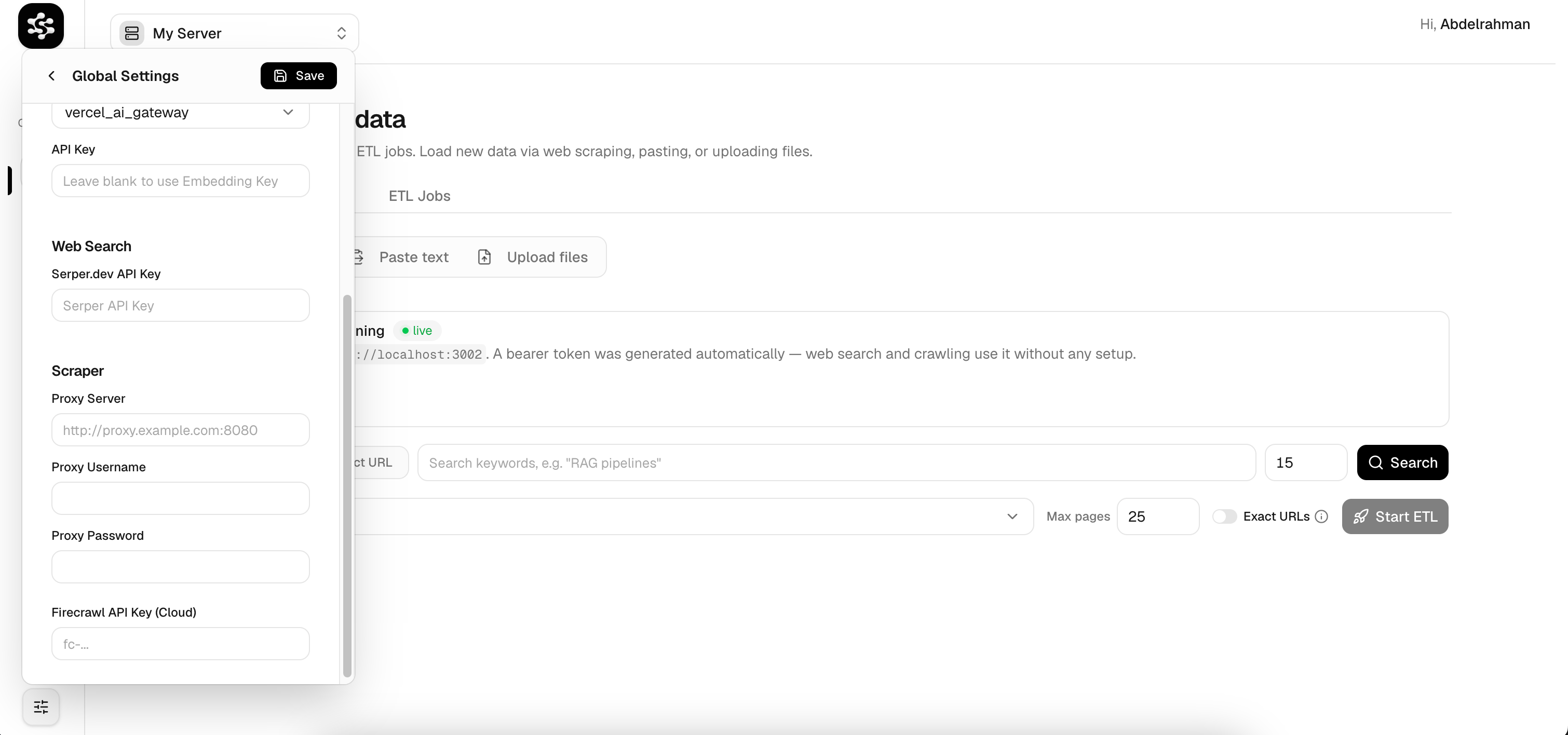
LarkupRAG supports both **self-hosted** and **cloud-hosted** scraping. You can configure everything from the **Global Settings** panel, no `.env` editing required.
### Self-Hosted Firecrawl
Click **Launch Web Crawler** in the Add Data tab to spin up a local Firecrawl instance inside Docker. A bearer token is auto-generated, you can start scraping immediately with zero signup.
### Cloud API Keys
If you prefer the hosted Firecrawl or Serper.dev services, enter your API keys in Global Settings:
* **Firecrawl API Key (Cloud)**: for cloud-based web crawling
* **Serper.dev API Key**: for programmatic Google search ingestion
## Scraping Configuration
LarkupRAG supports both **self-hosted** and **cloud-hosted** scraping. You can configure everything from the **Global Settings** panel, no `.env` editing required.
### Self-Hosted Firecrawl
Click **Launch Web Crawler** in the Add Data tab to spin up a local Firecrawl instance inside Docker. A bearer token is auto-generated, you can start scraping immediately with zero signup.
### Cloud API Keys
If you prefer the hosted Firecrawl or Serper.dev services, enter your API keys in Global Settings:
* **Firecrawl API Key (Cloud)**: for cloud-based web crawling
* **Serper.dev API Key**: for programmatic Google search ingestion
 ### Proxy Settings
For organizations that route traffic through a proxy (e.g., for rate-limit bypass or secure scraping), the settings panel exposes proxy configuration fields:
* **Proxy Server**: e.g. `http://proxy.example.com:8080`
* **Proxy Username**
* **Proxy Password**
### Proxy Settings
For organizations that route traffic through a proxy (e.g., for rate-limit bypass or secure scraping), the settings panel exposes proxy configuration fields:
* **Proxy Server**: e.g. `http://proxy.example.com:8080`
* **Proxy Username**
* **Proxy Password**
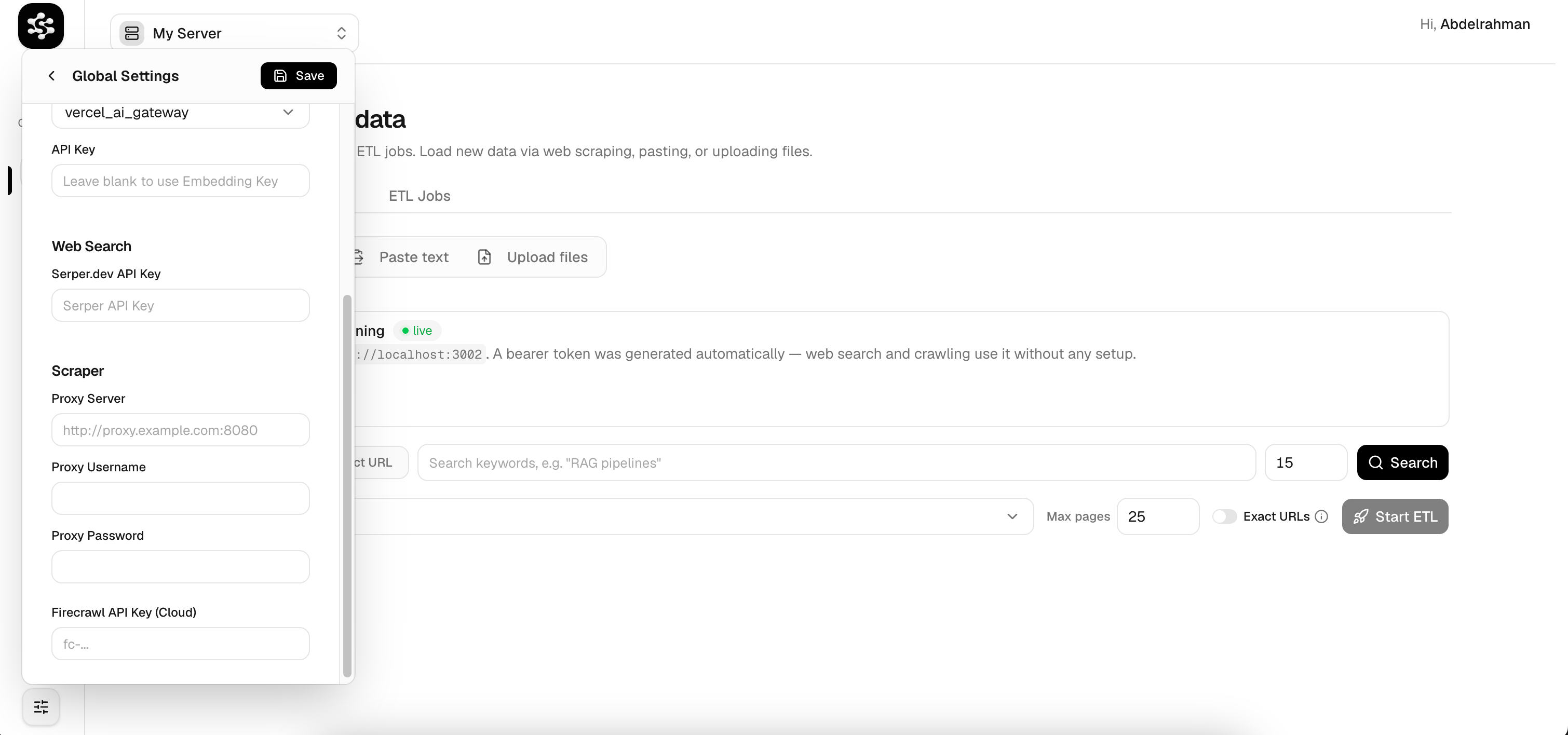 LarkupRAG automatically routes all outgoing scraping requests through your configured proxy.